Wednesday, May 25, 2016

Not Your Mama's Computer Class

Technology class is not about the technology.

Shocking that a technology teacher is saying this? Maybe, but stop for a moment and think how technology is used in the world around us. How many people stop to learn the tech before they use it? Instead they use the tech in a specific context, thus learning how to use the tech as they use it in a meaningful, purposeful way.

This week I joined the #connectedTL, connected teacher leaders, Voxer chat as they discussed "To Lab or Not to Lab" in terms of the relevancy of the traditional computer lab classroom in schools. I currently teach in a traditional computer lab classroom, the one with rows and rows of computers on tables, but what happens in my classroom is no where near what happens in a traditional computer lab.


I view my roll as the technology teacher like an octopus, reaching my arms into every content, finding ways to incorporate all subject areas into my classroom, so we have meaningful and purposeful ways to use our technology. I very rarely teach the tech tool, but I do have my students play and explore with it when we get started with a project, so they have a sense of how to use the tech. Then, it becomes all about the content and how we can use the tech to create something about or with our content. This leads to cross-curricular projects and stand alone technology class projects.


Students working on creating a better backpack during a design thinking unit.
             

Students filming a dark voyeur shot for one of their filming projects.
   
Working with my colleagues this year has helped me sure up my vision that my technology classroom is a place for making, designing, and problem solving as we become tech savvy. As my colleagues use more and more tech in their content area classrooms, the more my class can become the space where we take creating with tech to new levels and perhaps get into truly innovating. This will also lead to more complex and exciting cross-curricular projects as long as I continue to view myself as the octopus, reaching my arms into every content. That is the way the "computer lab" should be, certainly not your mama's computer class.

Student Films for Contests!


At the end of this year, I decided to add a digital project component before I had my 7th graders write their argument essays on the "Price of Progress." After analyzing the scientific advancements in the fields of Human Enhancement, Genetic Engineering and Factory Farming, I wanted students to think more critically about these topics and create something for a real world audience. Two video contests caught my eye when I was doing some research online that I thought could fit with our topics and would motivate our students: The National Academy of Engineering's Engineering for You Video Contest and the White House's Student Film Festival Contest. 

Collaboration became critical at this stage. Knowing what I wanted, the challenge became how do I plan this project effectively and get powerful feedback? Trisha Sanchez shared a google doc template with me that she had adapted from the Buck Institute for Education's resources which gave me a strong place to start. After filling in my ideas, I was able to share it with her and get critical feedback that helped me organize my ideas and plan accordingly.


When I launched the project with my students, they were so excited. I again used a resource adapted by Trisha, a Design Thinking Template, and had my students brainstorming and getting feedback from peers. They storyboarded and planned out their scripts for their films. As I monitored the groups, it was so exciting to see them taking the content and pushing it further, collaborating in groups to come up with unique ways to answer the big driving question: What are the implications of progress and how can we communicate those ideas clearly and creatively?


Then came the part of the project that I was secretly dreading... the actual filming. As I've learned over the last 4 years at Leading Edge, student filming is messy. Students are spread out, both inside the classroom and outside, as they work at different paces to create a final product. My job becomes an advising mentor, checking in with groups and helping them develop solutions to the inevitable tech problems or issues they have found as they have had to adapt their initial plan to something more feasible or realistic within time constraints. After the filming comes the editing of the footage, where students are uploading and downloading their clips, recording voice overs, inserting transitions, titles, credits, etc... and of course, realizing the need to re-film and replace poor footage. 

However, the finished product is always fun to view. At the end of the project, we watched the films together and gave positive and constructive feedback to groups, discussing the challenges faced and celebrating what "worked" in the process. 


Students then decided if they still wanted to enter their films, and we are currently in the process of getting them uploaded to youtube and submitted. It was definitely a worthwhile project and a great way to end the year.

Friday, May 6, 2016

Connecting with Students at Ralston Middle School in Omaha, Nebraska


Earlier this year I read a Tweet by Abby Schukei, an Art Teacher who I admire and follow, seeking out a willing 7th and 8th grade Art Teacher to swap Artist Trading Cards with. Artist Trading Cards are 2.5" X 3.5" pieces of artwork that are exchanged world-wide and currently trending in the Art Ed world. I thought this opportunity would be GREAT to connect our students with another set of middle school students in the Mid-West so I responded with "Me, Please!".

During the month of March ATC's were the early finisher project in Expressions. I wanted students to have all mediums at their disposal to invite as much creativity as possible. Expressions students did not disappoint. Check out these beauties! We exchanged over 170 uniquely designed, hand crafted cards. I was really proud of the thought, time and effort the students put into designing their cards.

Through the creative process, Expressions students began to show an interest to what living in Nebraska was like and what it was like to be a Ralston Middle School student. So, we decided to create a video focusing on the Leading Edge and the Expressions Art Room just  in case they were wondering the same thing about us. Two students created this video which we shared out the day we mailed out our Artist Trading Cards.


About a month later, we received Artist Trading Cards from Ralston Middle School and the Expressions students were SO excited! I carefully displayed the Artist Trading Cards on a table at the Street Fair and almost every student came in and selected a card. I loved listening to the conversations between students as they selected their favorite card. The students oohed and aahed over the quality of artwork, unique art processes and technical designs of each card. In observing this exchange between my stuents it was obvious that they felt very special receiving something so creative from someone they had never met before.

Artist Trading Cards are a great way to communicate ideas and make connections. Thanks to Abby's Twitter post our students have learned this first hand!


Friday, March 18, 2016

Digital Upgrade FUNDED! Thank you Donors Choose!

When it comes to making videos some students use their personal devices while other students choose to film using the iPads. Our tripods have personal device mounts that fit most phones, but without mounts for the iPads it can be tricky to stabilize video when filming. So, our PIP decided to try and get some iPad mounts for the tripods to enhance the video making process. I went ahead a wrote a project to Donors Choose requesting iPad mounts (along with a new ELMO doc camera for my classroom) and within weeks it was funded! The same day the equipment arrived it was put to use. Thank you Donors Choose!


Monday, February 1, 2016

Claymation in Expressions

I have been wanting to try Claymation with the students for years and finally DID IT! I had been playing around with it at home with my kiddos and realized how fun and engaging it can be. From there all it took was a little encouragement which I got from my #PLN one evening during a Stop Motion Animation Twitter Chat. After that it was GAME ON!

I wanted the first go around to be purely experimental so I opened up groups to 2-3 students. Next year I may limit groups to 2 students as I feel like the 3rd person was not always necessary. Once groups were formed I had students brainstorm ideas which I left wide open. I left ideas open because I wanted to see where the students would run with it and also wanted them to invest in the overall process. Once ideas were generated I had the students create storyboards, sketch out characters details and scenery design. Once the storyline and sketches were completed I had students build their scenes using manila folders and construction paper. This took more time than I expected but I allowed for it so that scenes were developed thoughtfully. I was really pleased with the scenery students developed but I may invest in Elmer's tri-fold displays  next school year for additional background support. Once the scenery was constructed the students choose clay colors to create their characters. They LOVED this part- which is why I saved it for last!


Once all the parts of the animation were constructed the filming process began. The majority of students used imotion for filming and then edited in imovie. There was a LOT of problem solving that occurred during this process which is where the learning took place! In addition to crashing apps, students struggled with the basic functions of filming video like stabilizing the camera, acquiring proper angles, and utilizing other tools to make their animation work- not to mention all the collaboration that took place in order to meet a deadline.  Here are some examples of problem solving methods.

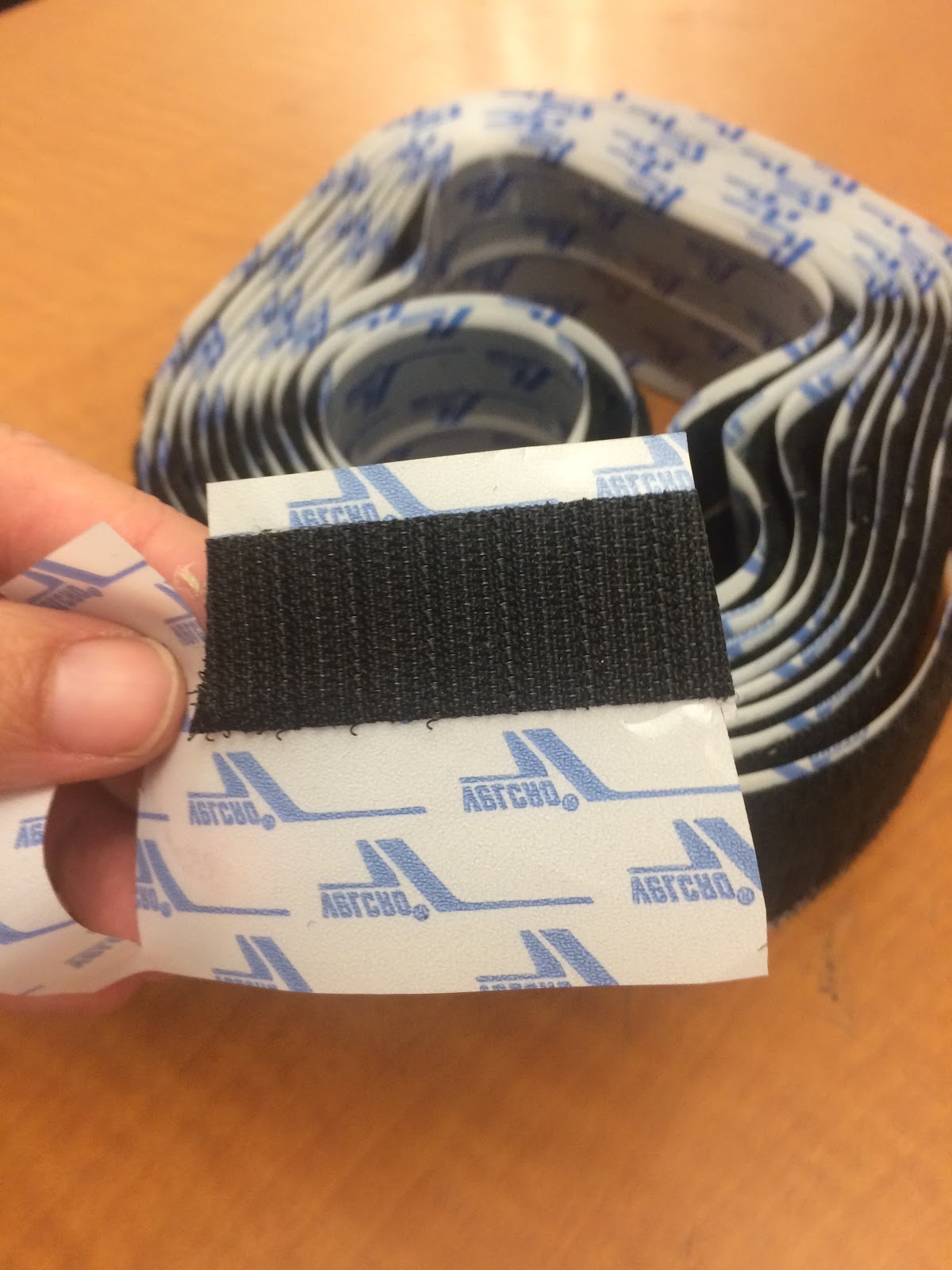
velcro was used to affix clay characters to unstable scenery
wire was used A LOT to form characters or create effects like flying
cardboard and other materials were used to make mounts to stabilize the iPads
Despite some challenges and working under pressure I think the students LOVED this project. Once they were finished they were very excited and pleased with their animation and the problems of the past were quickly forgotten. Here are some examples.


Wednesday, January 27, 2016

Tripods are AWESOME

After receiving the snowball microphones and tripods from Donors Choose, I was so excited to put them to use!

After reading a survival themed novel, my 8th graders were challenged to create an RSA video answering the following question: What does it take to survive? What are the skills necessary and how can we learn these skills through literature? 

In the past, students have struggled with keeping their cameras stable for the stop-motion animation part of this project. This year, having tripods available solved this problem. Students were also able to record their audio tracks with the snowball microphones. These devices helped improve the quality of student videos tenfold.

However, in filming for this project, students who used their own phones to film were more successful than those who used the iPads. This made us realize that our program needs adapters for the iPads to use them with the tripods. We are now asking parents to donate iPad Tripod Mount Adapters (about $10 a piece on Amazon). Fingers crossed that we are able to get enough to solve this problem.


Thursday, January 21, 2016

Using Digital Tools to Simulate Performance Tasks in the Artroom

At our most recent Professional Development Day we discussed the role of assessment and evaluated assessment strategies to identify whether or not our assessments hit the 4 levels of the DOK. After this discussion we dived into SBAC data to determine patterns. The SBAC data is very broad and does not target specific skill sets, but it does outline how students are able to problem solve with multi-step problems. Individual multi-step problem solving is something our students could use more practice with. Thinking about our pillars and the many opportunities we provide for our students to collaborate led me to believe that one we we can increase the ability for individuals to tackle multi-step problems is with Task Performance Challenges.

This got me excited, REALLY excited, because I had developed a digital project over the fall that I was too nervous about teaching for fear of glitches, skill level and just the unknown. So I decided I would use a block period (85 minutes) to the introduce the digital art project as a challenge on a sideshow, review the steps on the board, reinforce that it was an individual challenge,  and have students upload their completed project and write a justification process onto a google form for completion.

I think this project was a great start to setting up engaging, individual challenges that lead kids through multiple steps. I am really happy with their projects! You can see all of them here, but I posted several stand-outs.


Thursday, December 31, 2015

Student Artwork Published on The Daily Monster

After connecting with Artist Stephan G. Bucher via Twitter, I developed an ink blot lesson to incorporate the strategies he recommended which include compressed air and india ink. Through the creative process in the classroom I continued to share out with Stefan our progress and student results. As a result, Stephan published our students ink blot monsters on his Daily Monster Website. SO AWESOME! More blots can be viewed here.

Monday, November 30, 2015

#PLN: Using Social Media for Professional Development

There were several projects that have been on my radar for a couple years that I just never had the confidence to put together. This year, through participating with and developing my #PLN (Professional Learning Network) on Twitter, I have connected with teachers who have had success with the exact same projects I was coveting. As a result of connecting with these awesome art educators, I gained the confidence with taking on the creative risks necessary to have students successfully produce these large-scale projects. Social media has been a huge source of professional and creative inspiration to me this year! I realize that I have the means to collaborate digitally with art educators around the world and the possibilities are endless!

Here are some examples of two large scale projects gleaned from the use of Twitter:

7th Grade Perspective Tape Mural Project


8th Grade Book Title Ceiling Tile Project
funded by Donors Choose


Wednesday, October 28, 2015

How the Digital Sausage is Made

One of the greatest things about students creating digital projects and assignments is that the final products are almost always more dynamic and powerful than a tri-fold poster or diaroma scene of a pioneer settlement. That being said, creating and managing digital projects isn't for the faint of heart. The ultimate goal of project-based learning is more than just the final product. An emphasis is placed on practicing and perfecting the skills of teamwork, problem-solving, perspective-taking, and a host of real world abilities that will help them to be successful in the future.

Case in point, my latest project in my 8th grade U.S. History class to end our Constitution and Bill of Rights unit. In order to demonstrate their understanding of the civil liberties protected by law in the United States, groups are creating movie/book trailers for a dystopian future stories in which some (or all) of the rights protected by the Bill of Rights have been limited or eliminated completely. In doing so, the hope is that they build a greater respect and appreciation of the rights and opportunities that they enjoy in a democratic system.

Having a vision for what you hope your students will learn and the process in which they learn it are sometimes two very different things. To an outside observer, it may appear that a classroom full of 13-year olds are running around with swords, small picket signs, and laser guns, but as is always the case, when you give a young person an iPad and the freedom to use their creativity, the final product never ceases to amaze. Sure there are disagreements between group members, and technical difficulties at the eleventh hour, but these are nothing new to most adults interacting with other human beings in the larger world.

Just like an amazing meal, sometimes the final product cannot be judged by the seemingly random, chaotic, and frustrating process to make it come into being. The kitchen may be a mess, but you forget about that once you sit down to the spectacular meal awaiting you in the dining room.

Creativty Bundle by Doink

I am SO excited that Mrs. Sanchez and I were able to purchase and load the Creativity Bundle by Doink on the i-Pad cart. The Creativity Bundle contains two apps: Animation and Drawing and Green Screen. These two apps will provide many opportunities down the road for cross-curricular collaboration between Expressions and Technology Classes.

Cross Curriculur Dias de los Muertos Podcasts

I am so thrilled to be in a new teaching position, at a new school, in a new district, with a new philosophy. It has afforded me the autonomy to design learning experiences for my students that empower them to tell their stories. I have also had the pleasure of designing these experiences with my new colleagues.

Imagine 3 teachers (me - the tech teacher, the language arts teacher and the art teacher) sitting around a table waiting for a staff meeting to start in early August.
     "So in October I usually do an immigration writing project that coincides with the Dias de los Muertos art unit in the art class," says Cary, the language arts teacher, "but I want to change my project up this year to teach my kids how to write a biographical narrative using an interview as the planning piece. Would you be willing---"
      "Could we podcast the narratives!" I almost scream out excitedly.
      "That would be totally cool," Cary agrees.


Four weeks ago my 7th graders began their podcast project that coincided with creating Dias de los Muertos skull art, alters, etc. and writing biographical narratives and poems about family members in language arts. Students chose which family member they wanted to podcast about and created a list of interview questions in language arts. At the same time we started a genre study on podcasting in my technology class. We listened to podcasts from Storycorp and Radiolab and analyzed them for audience, purpose, content, context, and structure using this form. We especially paid close attention to structure because we needed ideas for how to structure our own podcasts. We also used these KWHLAQ charts (idea from Silvia Tolisano) to keep track of our learning. Next we explored Garageband for a few days to learn how to import audio tracks, create original music, and edit tracks. We then launched into putting together our podcasts about our family members, following these instructions.

I am so excited to share some of my students' work. Through the course of designing a learning experience that encompassed multiple disciplines and the learning of new tech tools, students were given a voice to share their stories. It is through their storytelling that you learn about who they are and where they come from. These podcasts will now be shared via QR codes within the Dias de los Muertos Art Exhibit in our multipurpose room in a few weeks. 

This project made me laugh, cry, and allowed me to get some perspective on my students and their families. Not only did my students learn some valuable academic lessons, I learned about my students. I call that a win-win!

Literally giving my students a voice in this project allowed them to learn on so many levels, gave their families a role in the learning, and gave the opportunity to create a keep sake to cherish for a very long time. 

Friday, October 23, 2015

Middle School Film Making


As we've worked to embed more digital projects into our curriculum, certain material needs have come up. In video production, the shaking cameras necessitate the use of tripods, and voice-overs require high quality microphones that don't pick up ambient noises. How, then, do we fix this problem with our limited budget for materials?
This year, I applied to Donors Choose to facilitate the purchase of this much needed recording equipment. I asked for eight new tripods and eight snowball microphones, enough to support small groups of students in classes. Chevron funded the project and now teachers in our program will be able to check these out for students to use on their projects! 
Image result for snowball microphone and tripods

Wednesday, September 23, 2015

Family Stories Podcast Makeovers


This year, I was inspired to revise a family stories digital project I've assigned in the past. When I heard that StoryCorps would be in Sacramento, I got excited and asked myself, "Could my students create podcasts?" Knowing that I wanted to find a way to incorporate this genre into my curriculum, I looked to ways to revise my units. 

In the past, as part of an immigration unit, I asked students to interview family members to discover their immigration stories and then in their technology class, they created a video to show their story. This was very successful and students created some incredible projects, even creating winning entries for the 'Cortos Y Fuertes/Short and Strong' Video Contest (here is a link to one of the winning student films). In Leading Edge, our students have spent the beginning of the year creating videos in their Tech and Science classes, so Podcasts seemed to be a new text to explore. When I approached Trisha Sanchez, she was very excited to create curriculum to partner with this project. Yay! 

One of the challenges we've faced with student recording is that while we have tools for filming, we lack professional microphones for high quality audio. I have applied to Donor's Choose to see if we can get a set of 8 microphones for students to use in future recording projects. 

In looking for an appropriate audience for their pieces, our Dia de los Muertos exhibit immediately came to mind. I know that some students would be selecting parents to interview, but others would want to find out about family members who they lost or never had the chance to meet. I think that the theme of remembrance, finding ways to memorialize and share unique family stories, fits with the exhibit and will give parents a great way to see their students' powerful work on display. We plan to have QR codes on the walls so that parents can listen to their student's recordings during the exhibit.

In revising this project, I also knew that I wanted to switch up the writing genres they would be studying. I decided on Biographical Narratives, as this genre includes aspects of informational and narrative writing modes. Our ELA team in Leading Edge has created a study group around writing genres, using Ruth Culham's The Writing Thief, to center our conversations. Revamping this unit and giving it a new focus provided a perfect opportunity to integrate some of the strategies we've discussed!

Wednesday, September 9, 2015

Why Wait to Create? Donors Choose

Donors Choose is my second attempt at raising funds necessary to purchase technology for the classroom. I have written projects before for donors choose but have yet to be funded. Gotta keep trying!

Saturday, September 5, 2015

Mission NOT Impossible!

Over the summer I got totally inspired by Tricia Fuglestad, an art teacher that I follow Twitter. She teaches elementary art and has a 1:1 iPad ratio in her classroom. She practices all forms of art but also integrates extensive digital artwork as well. The artwork her students produce is amazing! I started experimenting with her lesson plans with her help over the summer using several creative apps and was HOOKED! I want to teach digital art using the iPad! SO, I have decided to do something about my "Teacher Envy" and have made it a goal to become a 1:1 iPad art-room by the end of the 2015-16 school year. I have written 3 grants so far: Edbacker, Donors Choose and Chalk It Up Mini Grant. Here is a screenshot of my Edbacker Grant- the other two are pending approval. WISH ME LUCK!