Monday, February 1, 2016

Claymation in Expressions

I have been wanting to try Claymation with the students for years and finally DID IT! I had been playing around with it at home with my kiddos and realized how fun and engaging it can be. From there all it took was a little encouragement which I got from my #PLN one evening during a Stop Motion Animation Twitter Chat. After that it was GAME ON!

I wanted the first go around to be purely experimental so I opened up groups to 2-3 students. Next year I may limit groups to 2 students as I feel like the 3rd person was not always necessary. Once groups were formed I had students brainstorm ideas which I left wide open. I left ideas open because I wanted to see where the students would run with it and also wanted them to invest in the overall process. Once ideas were generated I had the students create storyboards, sketch out characters details and scenery design. Once the storyline and sketches were completed I had students build their scenes using manila folders and construction paper. This took more time than I expected but I allowed for it so that scenes were developed thoughtfully. I was really pleased with the scenery students developed but I may invest in Elmer's tri-fold displays  next school year for additional background support. Once the scenery was constructed the students choose clay colors to create their characters. They LOVED this part- which is why I saved it for last!


Once all the parts of the animation were constructed the filming process began. The majority of students used imotion for filming and then edited in imovie. There was a LOT of problem solving that occurred during this process which is where the learning took place! In addition to crashing apps, students struggled with the basic functions of filming video like stabilizing the camera, acquiring proper angles, and utilizing other tools to make their animation work- not to mention all the collaboration that took place in order to meet a deadline.  Here are some examples of problem solving methods.
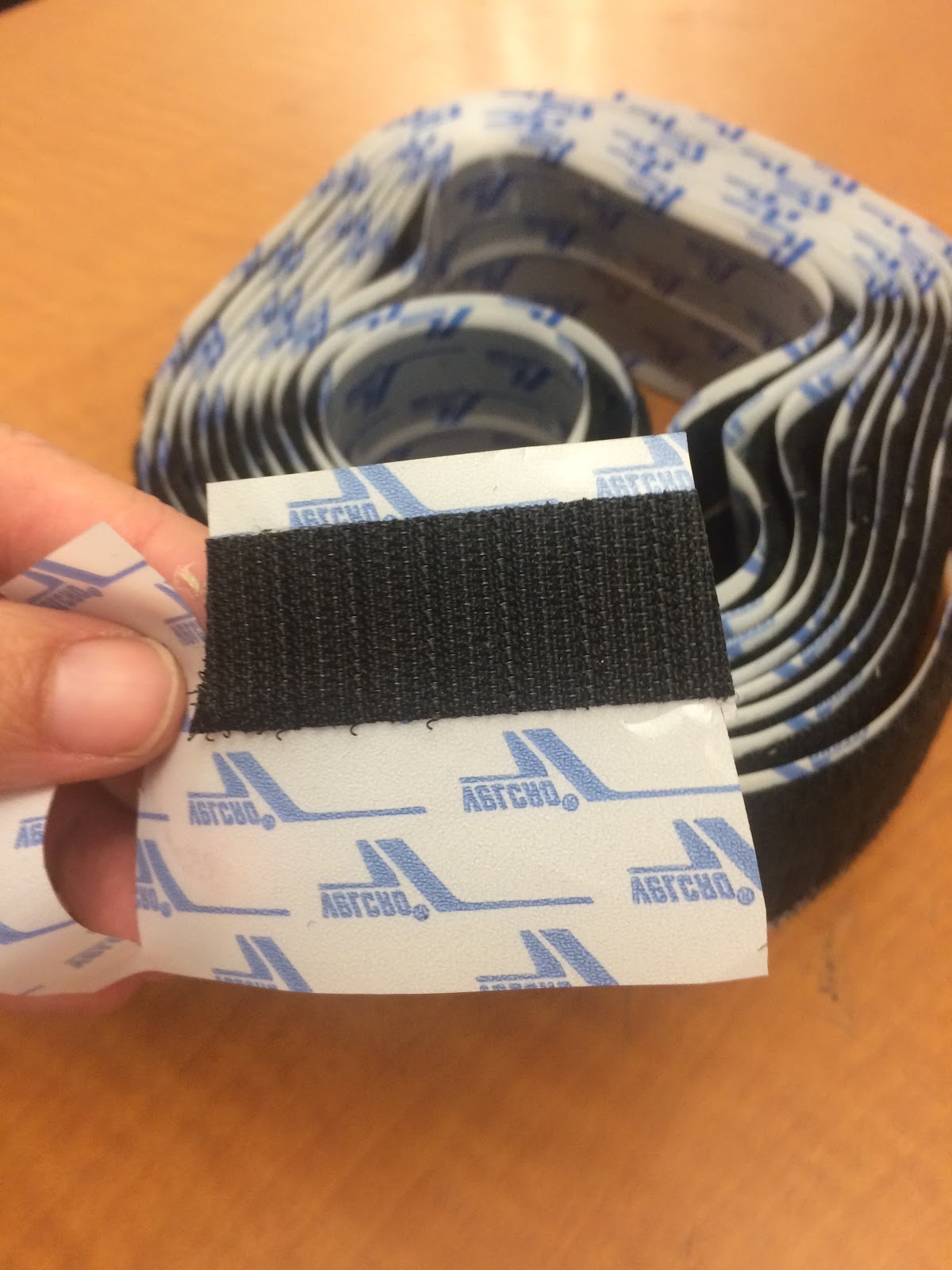
velcro was used to affix clay characters to unstable scenery
wire was used A LOT to form characters or create effects like flying
cardboard and other materials were used to make mounts to stabilize the iPads
Despite some challenges and working under pressure I think the students LOVED this project. Once they were finished they were very excited and pleased with their animation and the problems of the past were quickly forgotten. Here are some examples.


Wednesday, January 27, 2016

Tripods are AWESOME

After receiving the snowball microphones and tripods from Donors Choose, I was so excited to put them to use!

After reading a survival themed novel, my 8th graders were challenged to create an RSA video answering the following question: What does it take to survive? What are the skills necessary and how can we learn these skills through literature? 

In the past, students have struggled with keeping their cameras stable for the stop-motion animation part of this project. This year, having tripods available solved this problem. Students were also able to record their audio tracks with the snowball microphones. These devices helped improve the quality of student videos tenfold.

However, in filming for this project, students who used their own phones to film were more successful than those who used the iPads. This made us realize that our program needs adapters for the iPads to use them with the tripods. We are now asking parents to donate iPad Tripod Mount Adapters (about $10 a piece on Amazon). Fingers crossed that we are able to get enough to solve this problem.


Thursday, January 21, 2016

Using Digital Tools to Simulate Performance Tasks in the Artroom

At our most recent Professional Development Day we discussed the role of assessment and evaluated assessment strategies to identify whether or not our assessments hit the 4 levels of the DOK. After this discussion we dived into SBAC data to determine patterns. The SBAC data is very broad and does not target specific skill sets, but it does outline how students are able to problem solve with multi-step problems. Individual multi-step problem solving is something our students could use more practice with. Thinking about our pillars and the many opportunities we provide for our students to collaborate led me to believe that one we we can increase the ability for individuals to tackle multi-step problems is with Task Performance Challenges.

This got me excited, REALLY excited, because I had developed a digital project over the fall that I was too nervous about teaching for fear of glitches, skill level and just the unknown. So I decided I would use a block period (85 minutes) to the introduce the digital art project as a challenge on a sideshow, review the steps on the board, reinforce that it was an individual challenge,  and have students upload their completed project and write a justification process onto a google form for completion.

I think this project was a great start to setting up engaging, individual challenges that lead kids through multiple steps. I am really happy with their projects! You can see all of them here, but I posted several stand-outs.


Thursday, December 31, 2015

Student Artwork Published on The Daily Monster

After connecting with Artist Stephan G. Bucher via Twitter, I developed an ink blot lesson to incorporate the strategies he recommended which include compressed air and india ink. Through the creative process in the classroom I continued to share out with Stefan our progress and student results. As a result, Stephan published our students ink blot monsters on his Daily Monster Website. SO AWESOME! More blots can be viewed here.

Monday, November 30, 2015

#PLN: Using Social Media for Professional Development

There were several projects that have been on my radar for a couple years that I just never had the confidence to put together. This year, through participating with and developing my #PLN (Professional Learning Network) on Twitter, I have connected with teachers who have had success with the exact same projects I was coveting. As a result of connecting with these awesome art educators, I gained the confidence with taking on the creative risks necessary to have students successfully produce these large-scale projects. Social media has been a huge source of professional and creative inspiration to me this year! I realize that I have the means to collaborate digitally with art educators around the world and the possibilities are endless!

Here are some examples of two large scale projects gleaned from the use of Twitter:

7th Grade Perspective Tape Mural Project


8th Grade Book Title Ceiling Tile Project
funded by Donors Choose


Wednesday, October 28, 2015

How the Digital Sausage is Made

One of the greatest things about students creating digital projects and assignments is that the final products are almost always more dynamic and powerful than a tri-fold poster or diaroma scene of a pioneer settlement. That being said, creating and managing digital projects isn't for the faint of heart. The ultimate goal of project-based learning is more than just the final product. An emphasis is placed on practicing and perfecting the skills of teamwork, problem-solving, perspective-taking, and a host of real world abilities that will help them to be successful in the future.

Case in point, my latest project in my 8th grade U.S. History class to end our Constitution and Bill of Rights unit. In order to demonstrate their understanding of the civil liberties protected by law in the United States, groups are creating movie/book trailers for a dystopian future stories in which some (or all) of the rights protected by the Bill of Rights have been limited or eliminated completely. In doing so, the hope is that they build a greater respect and appreciation of the rights and opportunities that they enjoy in a democratic system.

Having a vision for what you hope your students will learn and the process in which they learn it are sometimes two very different things. To an outside observer, it may appear that a classroom full of 13-year olds are running around with swords, small picket signs, and laser guns, but as is always the case, when you give a young person an iPad and the freedom to use their creativity, the final product never ceases to amaze. Sure there are disagreements between group members, and technical difficulties at the eleventh hour, but these are nothing new to most adults interacting with other human beings in the larger world.

Just like an amazing meal, sometimes the final product cannot be judged by the seemingly random, chaotic, and frustrating process to make it come into being. The kitchen may be a mess, but you forget about that once you sit down to the spectacular meal awaiting you in the dining room.

Creativty Bundle by Doink

I am SO excited that Mrs. Sanchez and I were able to purchase and load the Creativity Bundle by Doink on the i-Pad cart. The Creativity Bundle contains two apps: Animation and Drawing and Green Screen. These two apps will provide many opportunities down the road for cross-curricular collaboration between Expressions and Technology Classes.